
Paste Once
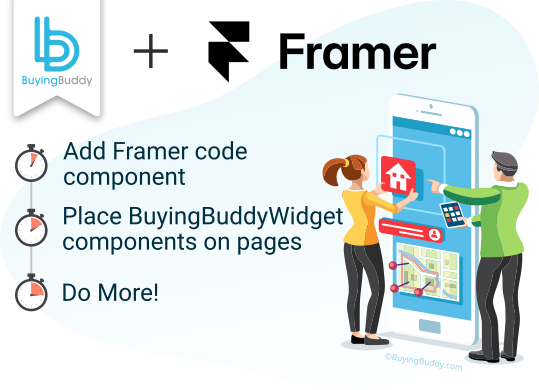
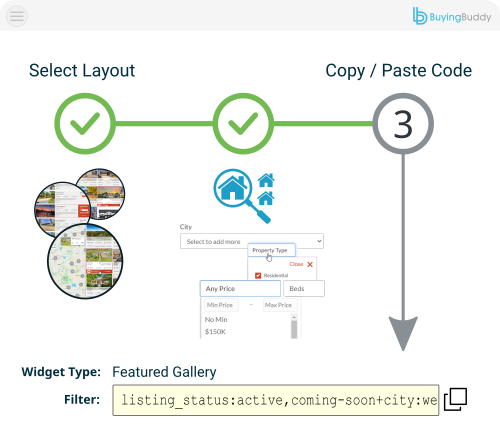
Copy the component from your dashboard.
Paste it into Framer.
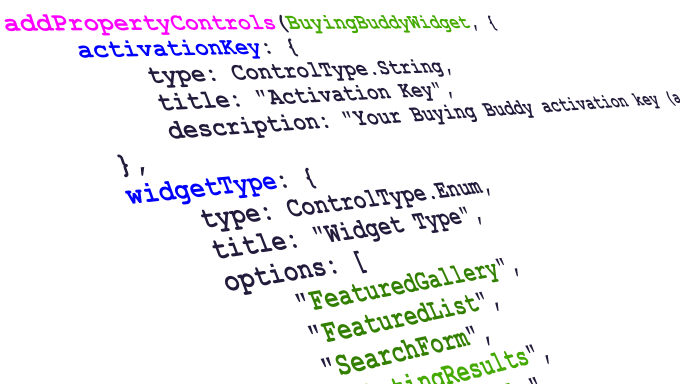
Buying Buddy installs on Framer as a single code component - no coding. Paste it once, then drag it onto any page and pick the widget from Framer's property panel.
Get A Free 30-Day Trial!Copy the component from your dashboard.
Paste it into Framer.

Drag the component onto pages and configure it from the property panel.

The component already includes your activation key - nothing to wire up.
Framer sites are React under the hood, so Buying Buddy installs as a single code component that adds MLS search, property listings, interactive maps and lead capture.
Copy the component from your Buying Buddy dashboard - pre-filled with your activation key - and paste it into Framer's Assets once. After that, reuse it on every page with no extra setup.
Each time you drop the component on a page, choose which widget it renders from Framer's property panel, exactly like configuring any other Framer component.




Add one Buying Buddy code component to Framer, then place MLS search, listings and capture anywhere on your canvas - configured visually, no coding.
Framer sites are React under the hood, so Buying Buddy installs as a single code component - no coding required after the first paste:
No. You paste the ready-made component once, then everything is visual: drop the component on a page and pick the Widget Type (Search Form, Results, Interactive Map, and so on) from the property panel, the same way you configure any Framer component.
Create four pages, keep them out of your navigation, and place one widget on each:
/listing-results - Widget Type Search Results/listing-details - Widget Type Property Details/market-area-report - Widget Type Market Report/featured-communities - Widget Type CommunitiesDo not add a Search Form or Quick Search to these pages, and confirm the paths match the Foundation Pages tab in your dashboard.
Widgets only load on domains registered to your account, and the Framer canvas / preview is not an authorized domain.
Publish your site and test on your live, authorized domain - either the free yoursite.framer.website address or a custom domain you connect.
Need a staging or preview domain authorized? Contact our Help Desk.
Yes, but you usually never touch it. The component you copy from your dashboard already includes your Activation Key. If a widget shows "Activation key is required", re-copy the component from your Installation and Setup page, or paste your key into the component's Activation Key control in the property panel.
Because Framer renders listing content in the browser, social scrapers won't read per-listing meta tags from your pages. Follow the Enable Property Sharing setup in our Framer guide so shared property links resolve to correct share previews.
No. There are no API keys to obtain and nothing to host. Buying Buddy receives the IDX feed directly from the MLS and the widgets display it on your Framer pages. An IDX license and MLS approval are required to show live data - a standard process we help you with - and until approval, widgets show our Demonstration MLS.


See More IDX Widgets

Fully Integrated
IDX for AI-built sites