The easiest way to add MLS search, maps and properties to a GoDaddy Airo website

GoDaddy Airo IDX Plugin Adds MLS Search to Your Airo Website

Yes - you can add MLS property search, listings, maps and lead capture to a GoDaddy Airo real estate website with Buying Buddy. GoDaddy Airo builds React apps, so Buying Buddy installs as the official @buyingbuddy/react package. Because GoDaddy Airo cannot open links, you install it by copying and pasting our prompt, then you drop in widgets wherever you need MLS content.

This is GoDaddy Airo, the AI builder - not the classic GoDaddy Website Builder or GoDaddy Managed WordPress, which remain unsupported (see Supported CMS).

Get A Free 30-Day Trial!

Your AI installs it

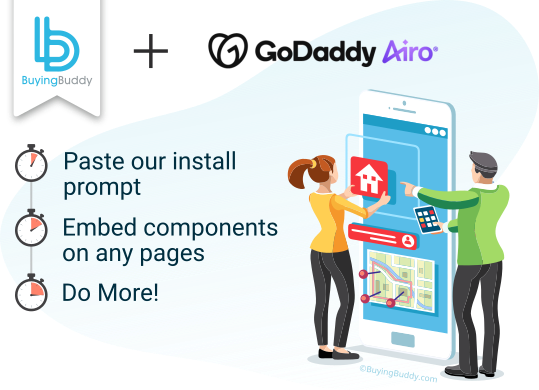
Copy and paste our prompt and GoDaddy Airo adds the package and provider for you.

Drop-in Components

Render MLS properties anywhere across your GoDaddy Airo app's pages.

Built for SPAs

Hooks into React's lifecycle so widgets work with client-side routing.

Give your GoDaddy Airo real estate app serious MLS authority

Add IDX to your GoDaddy Airo website.

GoDaddy Airo builds a React app you fully control, so Buying Buddy installs as the official React package that adds MLS search, property listings, interactive maps and lead capture as idiomatic components.

A single <BuyingBuddyProvider> loads the runtime for your account, then you add <BuyingBuddyWidget> components wherever you need MLS content - no manual script tags.

It is built for single-page apps, so widgets initialize correctly even with client-side navigation - the common pain point with script-based IDX in React.

Your GoDaddy Airo can do the whole install from our AI prompts - see Install in GoDaddy Airo with AI.


Godaddy Airo logo

Discover how

Real estate leads viewing a GoDaddy Airo real estate website with IDX MLS search.
AI-Installed
Components, not scripts
Map Searching
Lead Capture & CRM
Add the official Buying Buddy React package to your GoDaddy Airo app and render MLS search, listings and capture as components anywhere in your real estate website.

Create Your Real Estate Showcase

Use Buying Buddy widget components to display MLS search forms, listings, canned search results, an interactive map, capture forms and a lot more.
  • Add a quick-search or full-search to your pages.
  • Search with a radius or just close-by.
  • Interactive dynamic map search tool with polygon shape search is built-in.
  • Use various layouts such as a gallery / grid, a list view or a map to show properties.
  • Create hotsheet landing page widgets that will display any properties:
    • Your own listings, listings from your office, or listings from your team.
    • Any available listing status including for-sale / active, pending, sold, coming soon, and even rental.
    • Any MLS field such as areas like city, zip, county, or type / subtype of property or any other field.
    • Your private, off-market pocket listings can be added and displayed too.
  • Status banners highlight listings that are recently listed, have a reduced price, or have an open-house.
Learn More
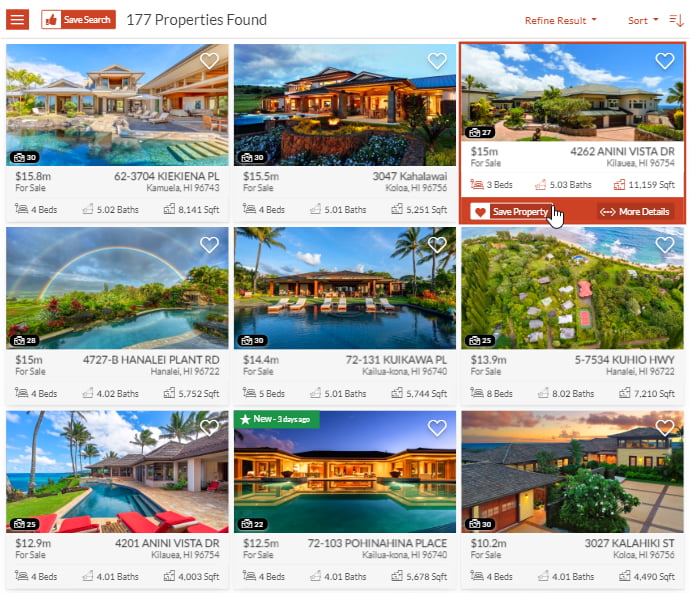
MLS property listings displayed in a grid layout on a GoDaddy Airo website.

Built for React on GoDaddy Airo

Your pages, routes and metadata stay under your control with React's own routing. Buying Buddy widgets add the live MLS data, search and lead capture.

Buying Buddy widgets render in the browser after the runtime loads, hooking into React's component lifecycle so they initialize exactly when they mount - reliable in single-page apps and with client-side navigation.

You build SEO-friendly pages in GoDaddy Airo as usual, then drop in widgets for MLS search, listings and capture. Four foundation routes - results, details, market reports and communities - power the full search-to-listing flow.

GoDaddy Airo uses a separate publish step, and its preview and published sites are authorized separately in your Buying Buddy dashboard, so always test on your published domain.

Learn More
GoDaddy Airo React pages and routing you control, with Buying Buddy widgets adding live MLS data.

How To Add IDX to GoDaddy Airo

The Buying Buddy React package installs like any other dependency in your GoDaddy Airo project - and your AI can do it for you.
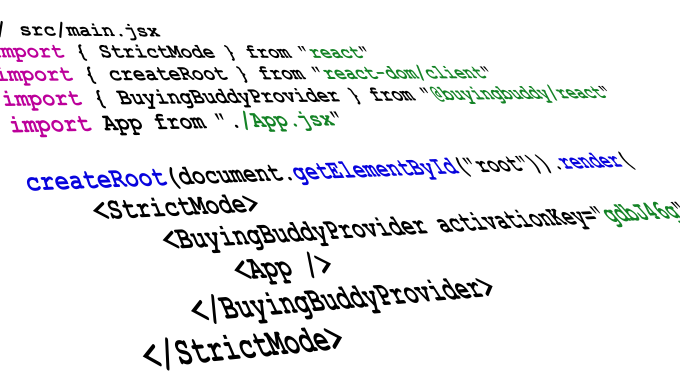
  1. Install @buyingbuddy/react and wrap your app once with <BuyingBuddyProvider activationKey="...">.
  2. Add <BuyingBuddyWidget> components - a search form, your foundation routes (results, details, market report, communities), and the disclaimer.
  3. Publish, then authorize your preview and published GoDaddy Airo domains in your dashboard.

Prefer to let your AI do it? Copy and paste our prompts into GoDaddy Airo - see Install in GoDaddy Airo with AI. Widgets are mobile- and container-responsive, so they fit any GoDaddy Airo layout.

Learn More
Adding Buying Buddy to a GoDaddy Airo app: install the package, add the provider, add widgets.

More Properties Will Give You More Credibility

Displaying curated MLS properties across your GoDaddy Airo app is simple - configure a widget with a type and a filter.

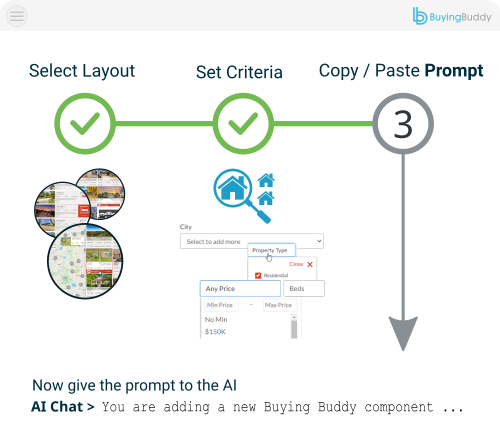
Use the Widget Wizards in your Buying Buddy dashboard to define niche displays and hotsheet landing pages. The wizard guides you to specify what to show and gives you the configuration to use.

First, decide the widget (map, list, gallery).
Then pick the MLS criteria that define the properties to show. Map the result onto a <BuyingBuddyWidget> via its type and filter props.

Render that component on any page or route to show your curated displays of properties.

Learn More
Configuring a Buying Buddy widget in GoDaddy Airo with type and filter to display MLS properties.

Style and Theme

Use Buying Buddy Widget Themes to seamlessly blend IDX widget content with your GoDaddy Airo app's design and brand.
  • The library holds a large collection of Themes.
  • Or, create a Theme, using the Theme editor.
  • Or, if you wish, you can also edit CSS if needed.
See Demo
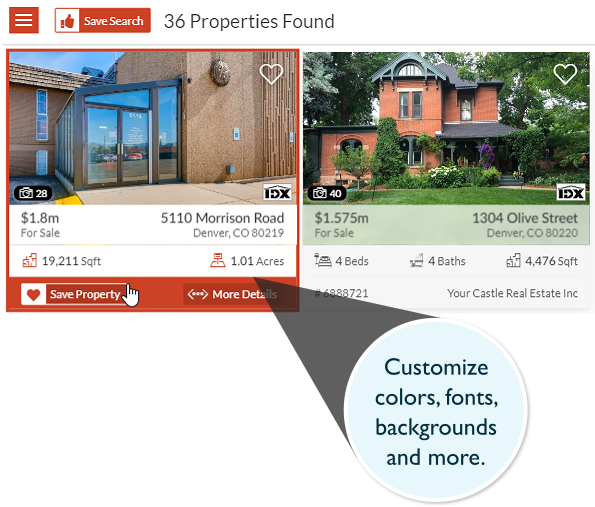
Styling Buying Buddy IDX widgets to match a GoDaddy Airo website theme.

GoDaddy Airo IDX Plugin - Common Questions

This page is for GoDaddy Airo, the AI website builder. The classic GoDaddy Website Builder and GoDaddy Managed WordPress are different products and remain unsupported - see our Supported CMS page.

GoDaddy Airo builds a React app, so Buying Buddy installs as the official package:

  1. Install @buyingbuddy/react and add <BuyingBuddyProvider activationKey="your-key">.
  2. Add <BuyingBuddyWidget> components - a search form, your foundation pages and the disclaimer.
  3. Publish, then authorize your published domain in your dashboard.

Because GoDaddy Airo cannot open links, copy and paste our GoDaddy Airo AI prompts.

No. Copy and paste our prompt into GoDaddy Airo and it installs the package, adds the provider and drops in the widgets for you.

No. There are no API keys to obtain and nothing to host. Buying Buddy receives the IDX feed directly from the MLS and the widgets display it on your GoDaddy Airo site. An IDX license and MLS approval are required to show live data - a standard process we help you with - and until approval, widgets show our Demonstration MLS.


Or, call: 800.205.0317